
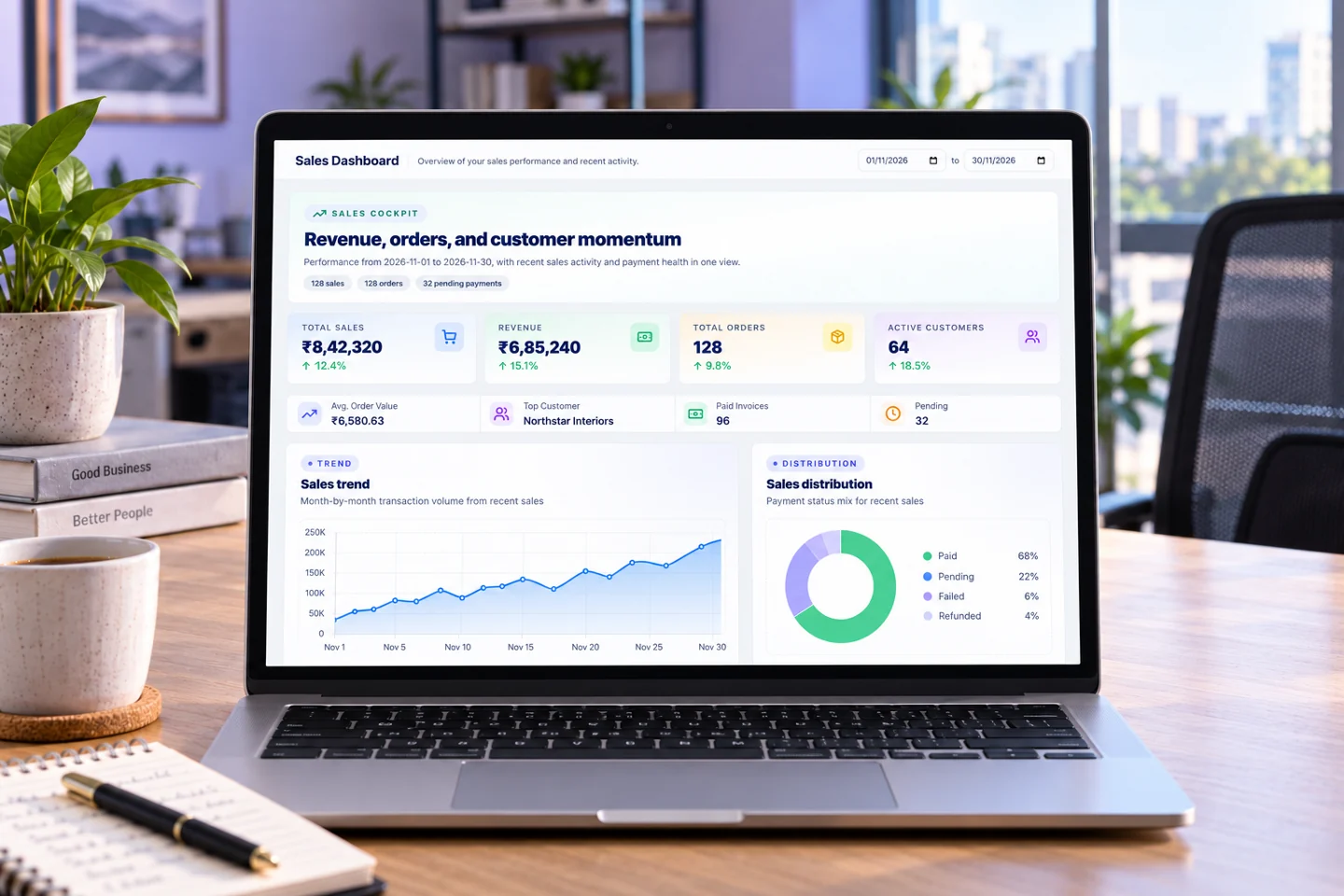
Sales
From the first quotation to the final payment.
Keep customers, quotations, invoices, payments and stock connected in one sales workspace.
- Quotations & invoices
- Payments & balances
- Products & inventory
Connect sales and service work, turn screens into campaigns, and transform 3D models into immersive tours. Start with the platform your business needs.
One mobile app. Multiple connected business platforms.
Explore our featured platforms
See what each platform can do for your business. Explore the workflow or take a four-page brochure to share with your team.
Sales
Keep customers, quotations, invoices, payments and stock connected in one sales workspace.
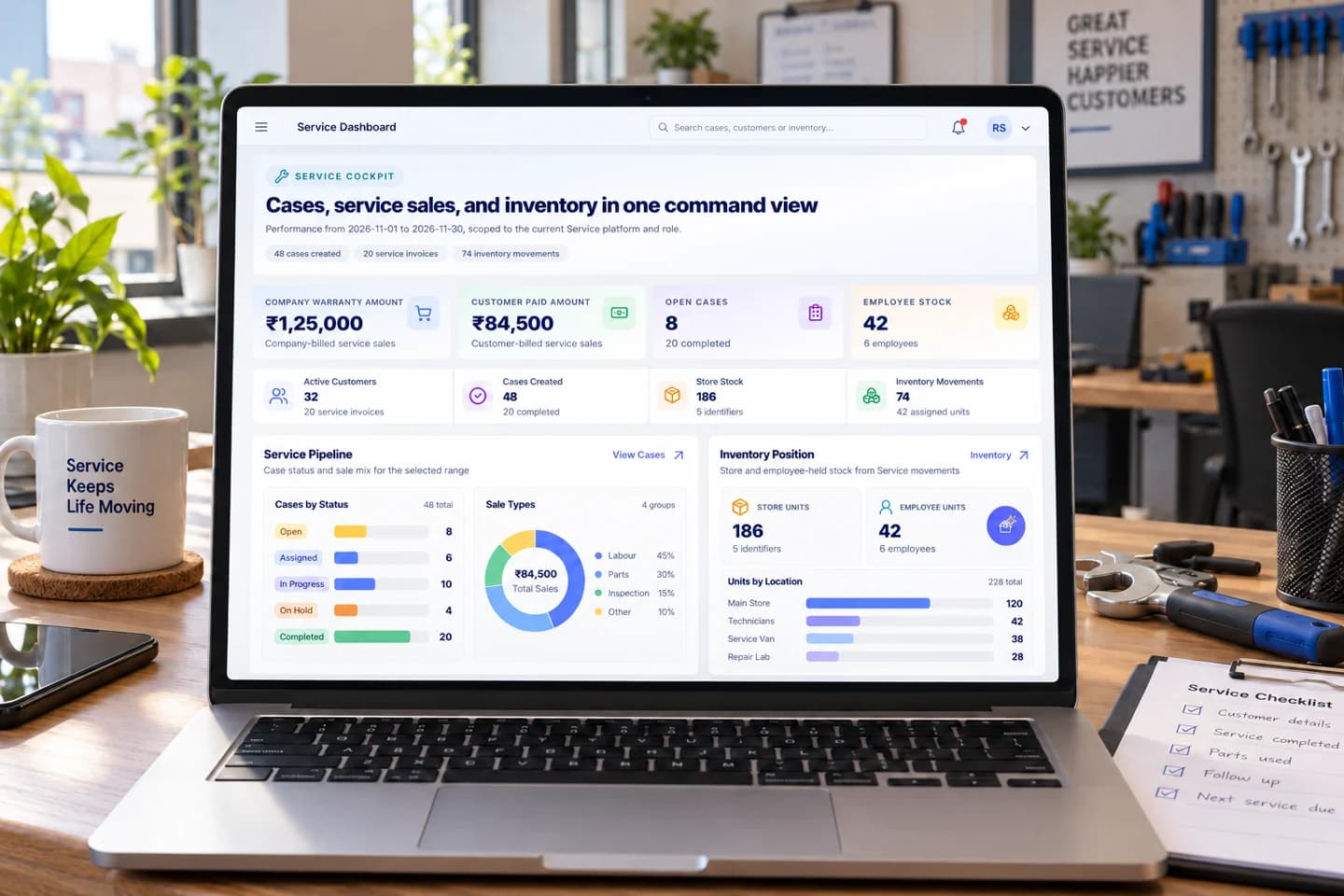
Services
Coordinate service cases, technicians, parts and billing from the first call to completion.
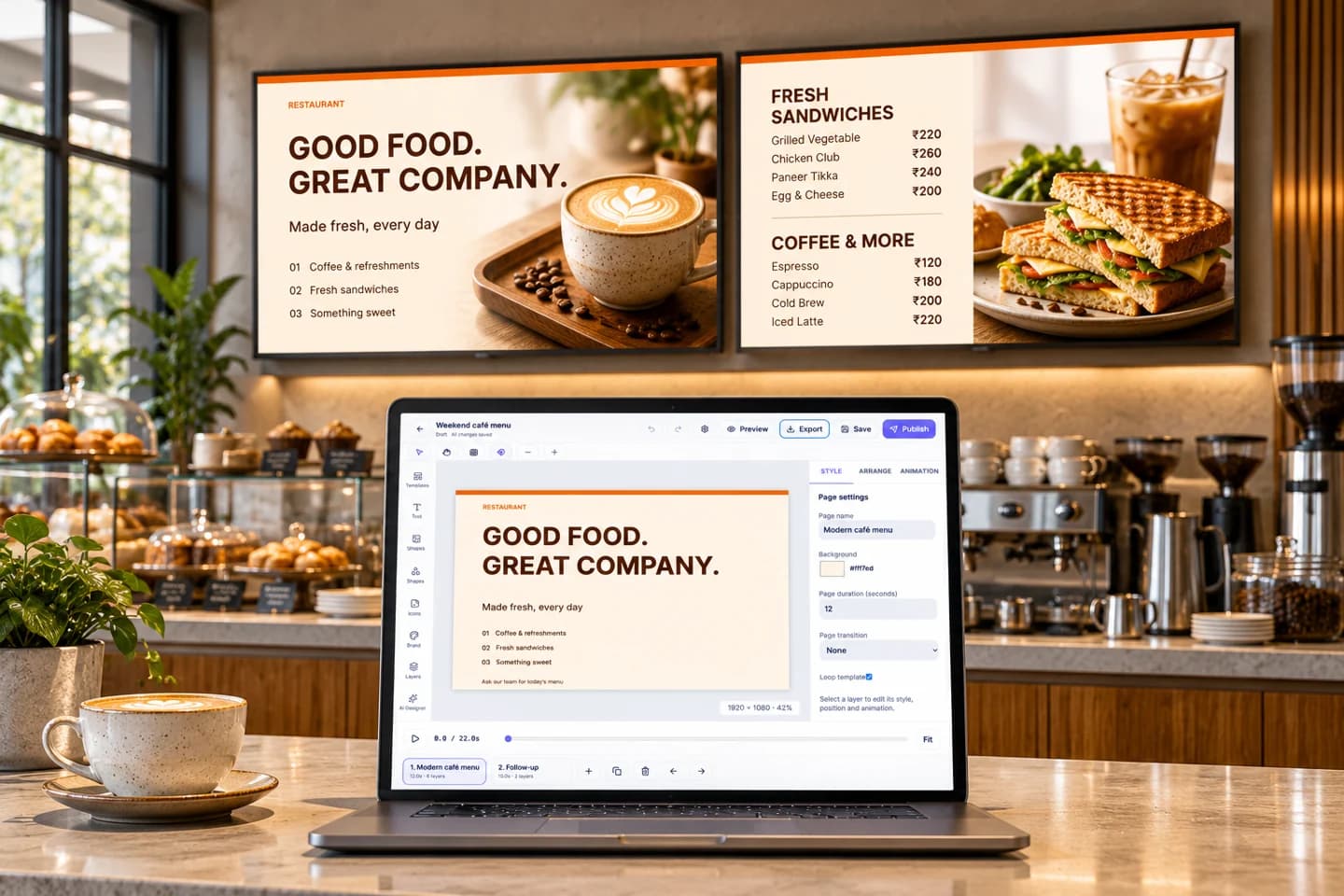
Signage Pro
Create menus and campaigns, organise playlists and schedule what plays on your displays.

360 Studio
Turn a 3D model into a virtual tour, present it on an interactive display and share it with clients.
Product scenes are illustrative and show sample content. Brochures download directly, with no form to fill in.
Create your business workspace and explore the currently eligible DisplayQue platforms. Your plan details are available inside your account after signup.
Free for
12 months
Plan details are shown after signup.
DisplayQue connects the systems customers use with the platforms your teams run. Choose the capabilities you need today and keep the same data, modules, roles, and workflows as you expand.
Connect customers, quotations, sales, invoices, products, stock, and suppliers across every commercial channel.
Explore capabilityRun retail, restaurant, bakery, counter, table, kitchen, and payment workflows with shared products and inventory.
Explore capabilityGive customers guided ordering, upselling, payments, and live handoff to your operational teams.
Explore capabilityPublish live token, counter, pickup, service, and operational status to customer-facing screens.
Explore capabilityManage campaigns, playlists, zones, promotions, menu boards, and device groups from one control layer.
Explore capabilityExtend the suite through connected web, mobile, staff, customer, kiosk, and display experiences.
Explore capabilityEach platform brings focused workflows while sharing customers, products, people, permissions, documents, reporting, and business context.
B2B and B2C customers, quotations, orders, invoices, inventory, suppliers, and reporting.
Products, availability, bookings, issues, returns, damages, renewals, and customer history.
Flexible retail, restaurant, bakery, counter, menu, kitchen, and payment operations.
Cases, customers, products, technicians, sales, documents, notes, and service lifecycle control.
Leads, customer history, follow-ups, communications, quotations, campaigns, and AI insight.
Employees, roles, attendance, leave, schedules, timesheets, payroll, onboarding, and documents.
Branded forms, feedback collection, response visibility, analysis, and customer insight.
Live operational, queue, token, counter, pickup, and public status communication.
Centralized content, playlists, zones, schedules, campaigns, and multi-device publishing.
Explore the mobile designs for your daily work, from sales and service to the screens your customers see.
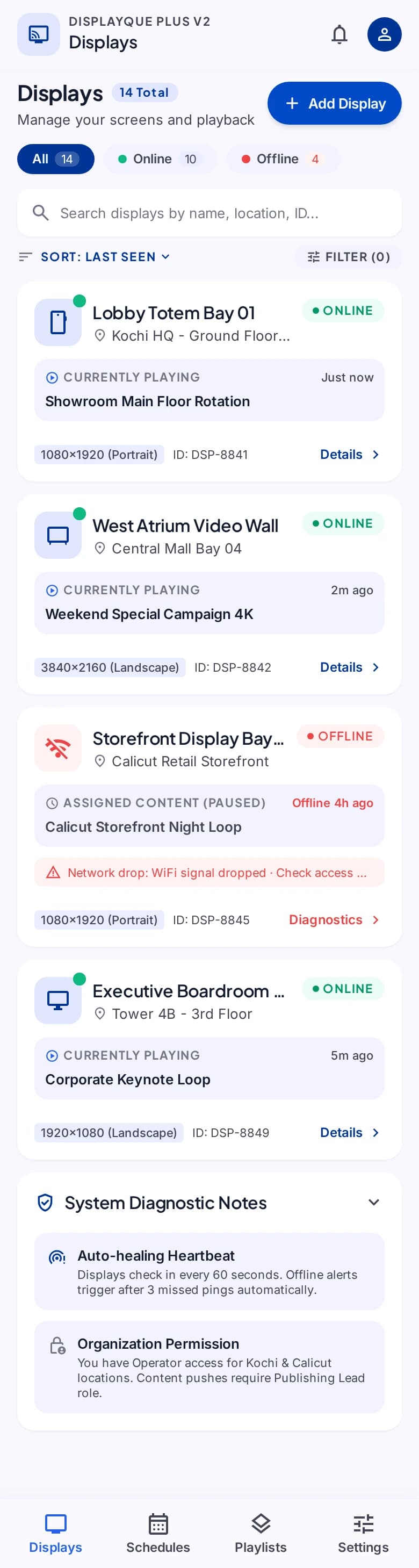
Explore your display network, arrange content, and plan what plays next.
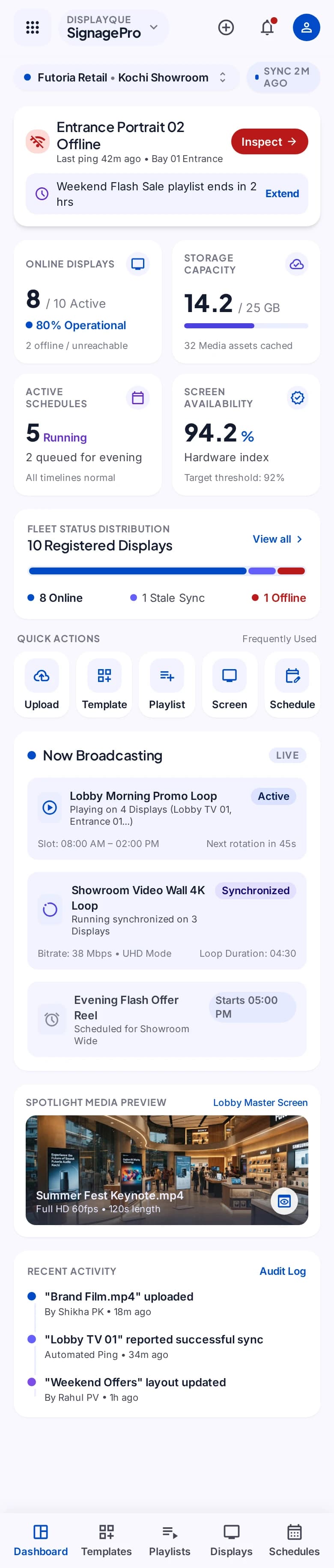
Select a step to explore the mobile design. This demonstration uses sample content and does not change your workspace.
A destination for your message.
Platforms are wrappers around shared modules. Start with a proven platform or compose a new operating model as your processes evolve.
Run the complete customer-to-cash journey for direct, assisted, B2B, and B2C sales.
Keep products, stock, vendors, assets, rentals, and returns connected across branches.
Give teams one system for workforce records, access, time, availability, and pay.
Connect every customer touchpoint, from self-service and feedback to screens and messages.
Coordinate follow-through and turn operational activity into decisions teams can act on.
Turn modelled spaces into interactive 360 tours that clients can explore.
Explore solution Industry solutionConnect customer cases, technician schedules, spare parts and service billing.
Explore solution Industry solutionCreate menus and promotions, build playlists and schedule content for the right displays.
Explore solution Industry solutionPOS workflows for ordering, billing, counters, branch operations, and customer-facing service execution.
Explore solution Industry solutionConnected CRM for leads, follow-ups, quotations, customer communication, and retention workflows.
Explore solution Industry solutionHRM and shift management workflows for scheduling, staffing visibility, and team coordination.
Explore solutionChoose the DisplayQue Suite modules you need now and expand as your operation grows. We tailor pricing around your workflows, screens, locations, and team size.
DisplayQue Suite is a connected software suite that brings together restaurant POS, self-ordering kiosks, B2B and B2C sales, token and live data boards, TV and LED advertising, shift management, and AI-powered CRM.
Yes. Teams can start with one DisplayQue Suite workflow such as POS, kiosks, sales, signage, status boards, or CRM, then add connected modules as the operation expands.
Restaurants are a strong fit, but the suite also supports retail, service teams, and growing businesses that need customer management, sales workflows, display systems, and staffing coordination.
AI helps teams move faster by supporting customer follow-ups, CRM workflows, operational insights, and decision-making across connected modules.
Yes. DisplayQue boards can combine live token or queue information with promotional content so customers stay informed while screens continue to support awareness and upsell goals.
Yes. DisplayQue Suite includes shift planning, staff availability, and timesheet workflows so operations teams can coordinate coverage more clearly.
Tell us which platforms and modules you use today. We will help you shape a DisplayQue Suite that grows with the way your team sells, serves, operates, and communicates.